

Once, a website owner spent hours manually copying email signups from WordPress forms into their email list—until a wise friend mentioned integrating Contact Form 7 with Aweber. This small change led to a surprising transformation: hours reclaimed, no lost leads, and those templates? Game changers for a polished brand experience. In this piece, we'll dig into this often-overlooked plugin, uncovering practical, creative, and a few unexpected ways it can elevate your lead generation—plus, what nobody tells you about using form integrations day-to-day.
Unexpected Simplicity: The Real Appeal of Contact Form 7 to AWeber Integration
When it comes to WordPress lead generation plugins, the Contact Form 7 Aweber Integration plugin stands out for one simple reason: it makes powerful list building almost effortless. For anyone who’s ever wrestled with manual data transfers or juggled multiple tools just to get new leads into their Aweber Auto Responder, this integration is a breath of fresh air.
Integrate in Minutes—No More Manual Transfers
Forget the days of copying and pasting emails from your contact form into your email marketing platform. With Contact Form 7 to AWeber integration, you can connect your forms to your Aweber lists in just a few clicks. The plugin’s setup is refreshingly simple—no coding, no complicated mapping, and no need to hire a developer. Just install, configure, and watch your leads flow directly into Aweber, ready for your next campaign.
Check New Leads Without Leaving WordPress
One of the most underrated features is the ability to skip the Aweber dashboard entirely. All new inquiries are stored right in your WordPress backend, so you can view, manage, and export leads without ever leaving your site. This real-time storage means you’ll never lose a lead, and the Export inquiries to CSV WordPress option makes it easy to back up or analyze your data whenever you need.
Advanced Segmentation: Multiple Forms, Multiple Lists
Whether you’re a blogger with diverse audiences or a business managing several products, segmentation is key. This plugin supports multiple Contact Form 7 forms and allows you to assign each form to different Aweber lists—or even put one form into multiple lists. That means you can tailor your lead capture to match your marketing strategy, all from a single dashboard.
Compliance and Flexibility: Single or Double Opt-In
Staying compliant with email marketing laws is non-negotiable, and the Contact Form 7 Aweber Integration plugin has you covered. It supports both single and double opt-in methods, so you can build your list in a way that suits your audience and keeps your campaigns legal. This flexibility not only ensures peace of mind but also helps you maintain a happy, engaged subscriber base.
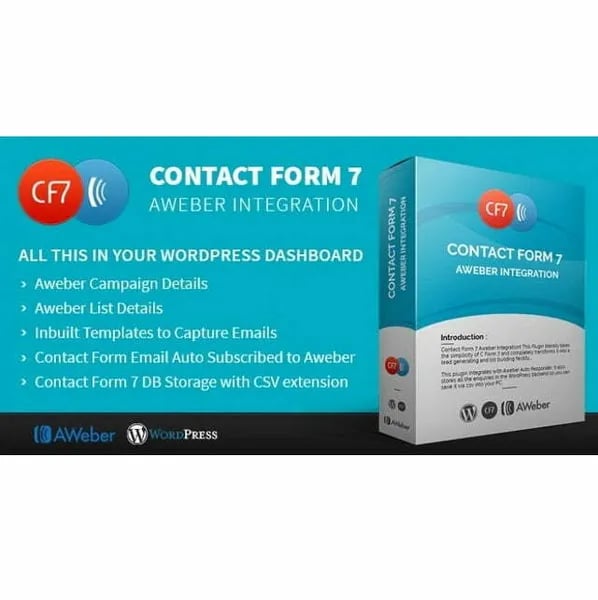
Integrate Contact Form 7 with AWeber in minutes—no manual data transfers
Skip the Aweber dashboard: check new leads right in your WordPress backend
Supports multiple forms and lists for advanced lead segmentation
Handles single and double opt-in for compliance and happy subscribers
Export inquiries to CSV for easy backup and analysis
Integrating directly with AWeber lets our small team focus more on creative campaigns than wrestling with lists. – Joelle Simmons
The real appeal of this integration is its unexpected simplicity. By automating the connection between your contact forms and Aweber, it frees you from tedious admin work and lets you focus on what matters: growing your business and engaging your audience.
From Drab to Dazzling: Customizing Subscriber Forms Without Losing Your Weekend
When it comes to WordPress lead generation, nobody wants to settle for bland, cookie-cutter signup forms. The Contact Form 7 integration plugin with AWeber is a game-changer, especially for those who crave both style and simplicity. With ten built-in Contact Form 7 templates customization options, even non-designers can create eye-catching subscriber forms in minutes—no coding or creative burnout required.
Ten Templates, Endless Possibilities
Forget spending hours tweaking colors and layouts. This plugin delivers 10 pretty & attractive templates right out of the box. Whether you want sleek minimalism or something bold and colorful, there’s a template that fits your brand. As Frances Delgado raves:
Templates make my opt-in forms look purpose-built, and I was done in under ten minutes.
These templates are crafted to convert, helping you stand out from the sea of generic forms that visitors usually ignore. It’s the fastest way to go from drab to dazzling—without losing your weekend to design tweaks.
Shortcodes: Place Forms Anywhere, Instantly
Flexibility is key for experimental marketers and bloggers. Thanks to shortcode support, you can drop your customized forms into posts, pages, or even sidebars. Want to A/B test placement? No problem. Just copy and paste the shortcode wherever you want your form to appear. This feature makes the plugin one of the best WordPress email marketing plugins for 2025, giving you total control over your lead capture strategy.
Form Fields Mapping: Capture the Data You Need
Customization isn’t just about looks—it’s about function. The plugin’s Contact Form 7 form fields mapping lets you match every field (name, email, or custom data) directly to your AWeber lists. Whether you’re collecting basic info or building richer subscriber profiles, mapping ensures your data flows seamlessly into your email marketing system. No more manual exports or mismatched fields—just smooth, automated list building.
User-Friendly Setup for Everyone
Not a techie? No problem. The plugin is designed as a user-friendly WordPress plugin for 2025. A comprehensive demonstration video walks you through every step, while detailed documentation and a handy FAQ section answer common questions. If you ever get stuck, 24/7 support is just a click away. Even those who prefer cat memes to code will find setup refreshingly simple.
10 built-in templates for instant, professional forms
Shortcode support for flexible placement
Field mapping for custom data capture
Video demos and thorough docs for easy onboarding
With this Contact Form 7 integration plugin, you can finally create subscriber forms that look and work exactly how you want—no designer, no developer, and no lost weekends required.
More Than Email: Smart List Management Tools for Growing Brands
Modern brands need more than just a way to collect email addresses—they need powerful, easy-to-use Aweber list management tools that keep pace with their growth. The Contact Form 7 to AWeber integration plugin for WordPress transforms your site into a true lead management hub, making it simple to view, organize, and analyze your subscribers—all without ever leaving your WordPress dashboard.
View and Manage All Your AWeber Lists Right from WordPress
Juggling multiple brands or product lines? This plugin lets you manage every AWeber list directly from your WordPress backend. No more switching tabs or logging into your AWeber account just to check on your latest subscribers. With a centralized List Manager, you can:
See all your AWeber lists in one place
Assign multiple Contact Form 7 forms to different lists
Place one form in several lists for cross-promotion
As Curtis M. Frank puts it:
List management within WordPress is one of those features you don't know you need until you have it.
Instant Stats: Subscribed, Unsubscribed, and Total Counts
Effective Aweber email marketing integration means having access to real-time data. The plugin’s List Manager displays up-to-the-minute stats for each list, including:
Total subscribers
Subscribed count
Unsubscribed count
These insights let you quickly spot trends, identify successful campaigns, and make smart tweaks—without the hassle of exporting data or logging into multiple platforms.
Broadcast Campaign Insights in a Single Click
For brands running regular email campaigns, the plugin’s broadcast overview is a game-changer. With just one click, you can review all your AWeber broadcast campaigns, see which messages are resonating, and adjust your strategy as needed. Even non-marketers will appreciate the simple, visual summaries that make campaign performance easy to understand at a glance.
Export Inquiries to CSV: Data Portability for Analysis
Need to crunch numbers or share subscriber data with your team? The plugin’s Export inquiries to CSV WordPress feature makes it effortless. Download your entire list—or just the latest batch of signups—straight to your computer. This is perfect for:
Advanced analysis in Excel or Google Sheets
Creating backups for peace of mind
Sharing data with marketing or sales teams
Data portability is key for brands that want to stay agile and informed.
Designed for Growing Brands
Whether you’re managing a single site or multiple brands, these WordPress plugins for list building are built for scale. With support for multiple forms and lists, attractive templates, and user-friendly controls, the Contact Form 7 Aweber Integration plugin ensures your lead generation and list management evolve alongside your business.
Quirky Integrations: Uncommon Ways to Use Forms You Haven’t Thought Of (Yet)
Contact Form 7 Aweber Integration isn’t just for basic lead capture—it’s a launchpad for creative, high-impact lead generation email automation. With features like Contact Form 7 custom merge fields, multiple opt-in options, and support for Contact Form 7 multiple accounts, the possibilities for quirky, effective integrations are nearly endless. Here are some uncommon ways to use forms that most WordPress users haven’t tried (yet):
1. Use a Different Opt-In Form for Each Digital Product or Offer
Why settle for a generic signup form when you can tailor the experience for every product or lead magnet? With Contact Form 7 multiple accounts and list support, you can assign a unique form—and a unique Aweber list—to each digital download, webinar, or course. This not only streamlines segmentation but also lets you personalize follow-up emails based on the specific offer your subscriber chose.
Splitting forms by product changed everything about my launch strategy. – Siobhan Rivers
2. A/B Test Form Designs and Placements to Maximize Signups
Contact Form 7’s shortcode flexibility means you can drop forms into posts, pages, or even sidebars. Try running A/B tests by placing different opt-in forms in various locations or using the 10 inbuilt templates to see which design converts best. This DIY growth hack can reveal surprising insights about your audience’s preferences and behaviors.
Sidebar vs. Footer: Which gets more signups?
Minimal vs. Detailed: Does a simple form outperform a longer one with custom fields?
3. Capture Unique Data with Custom Merge Fields
Contact Form 7 custom merge fields aren’t just for marketers. Get creative—ask for a favorite color, pet’s name, or even pizza topping. This quirky data can be used to personalize future emails, making your messages stand out in crowded inboxes. Plus, all data is stored in your WordPress backend and can be exported via CSV for advanced segmentation.
4. Experiment with Single vs. Double Opt-In—Per Form
With Contact Form 7 single opt-in and double opt-in options, you can tailor compliance and user experience for each campaign. For example, use double opt-in for contests or giveaways where you need explicit consent, and single opt-in for quick downloads or newsletter signups. This flexibility lets you balance list quality with conversion rates—no more one-size-fits-all approach.
Single Opt-In: Fast, frictionless for freebies or flash sales.
Double Opt-In: Stricter, perfect for high-value or regulated offers.
5. “Just One More Form” as a Tactic, Not a Vice
Don’t be afraid to use multiple forms across your site. Each form can serve a unique purpose—collecting feedback, segmenting by interest, or even running micro-surveys. With Contact Form 7 opt-in options and custom merge fields, every form becomes a data goldmine for smarter, more personalized automation.
With these quirky integrations, Contact Form 7 Aweber Integration transforms your WordPress site into a dynamic, data-driven lead generation hub—no coding required.
What Nobody Tells You: Real-World Support and Peace of Mind
When it comes to choosing a WordPress plugin, especially one as critical as a Contact Form 7 integration plugin, most users focus on features and price. But behind the scenes, the real game-changer is the level of support and peace of mind you get after clicking “Buy Now.” With the Contact Form 7 Aweber Integration plugin, you’re not just getting a tool—you’re investing in a user-friendly WordPress plugin for 2025 and beyond, backed by a support system that’s surprisingly rare in the world of single-purchase plugins.
First, let’s talk about support. Many plugins leave you on your own after purchase, but this integration plugin stands out with its 24/7 support. Whether you’re launching your site at midnight or troubleshooting during a weekend crunch, help is always available. As Dana Royston, a recent user, put it:
Having true round-the-clock support meant I could launch at midnight and not worry.
This kind of access removes the anxiety that often comes with plugin setup, especially when business deadlines are looming. You’re not left scouring forums or waiting days for an email response—real help is just a message away. This level of Contact Form 7 integration support is a major confidence booster for both beginners and experienced site owners.
But support isn’t just about answering questions. The Contact Form 7 Aweber Integration plugin also comes with comprehensive documentation, a detailed FAQ, and even the source code. For developers and DIY enthusiasts, this is a goldmine. You have the freedom to tweak, customize, and truly make the plugin fit your workflow. The inclusion of source code and thorough documentation means you’re never boxed in by default settings—you can adapt the Contact Form 7 plugin settings to your exact needs.
Another overlooked benefit is the licensing. The plugin’s license is flexible, allowing use in both personal and commercial projects. Whether you’re building a portfolio site or managing multiple client campaigns, you’re covered—just remember, reselling the plugin isn’t permitted. This flexibility makes it a smart investment for agencies and freelancers who need reliable, scalable solutions.
Future-proofing is also a key part of the package. The plugin is fully compatible with the latest versions of WordPress and jQuery, and you can count on free updates as new releases roll out. This is crucial: WordPress updates can break poorly maintained plugins, but with regular updates, you avoid the headaches of sudden incompatibility. Your lead generation engine keeps running smoothly, no matter how the WordPress ecosystem evolves.
In the end, the Contact Form 7 Aweber Integration plugin is more than just a bridge between your forms and your email list. It’s a complete solution designed for real-world business needs—offering robust support, flexibility, and the peace of mind that comes from knowing you’re never alone. For anyone serious about lead generation, it’s the kind of reliability that quietly powers success, long after the initial setup is done.